
Quick answer
A free website builder is fine to start with. It suits you if you offer one or two services in one area and have more time than money. You pay with your evenings and an address like yourname.wixsite.com. Set up a few things on day one so you can move later. Upgrade when the site starts costing you calls.
Key takeaways
- Free means no monthly fee. It doesn’t mean no cost.
- Buy your own domain from day one. Then your address stays yours, whatever builder you use.
- At the start, your Google Business Profile matters more than a fancy website.
- You don’t have to throw a free-builder site away to make it work better.
“Why would I pay for a website when Wix is free?”
It’s a fair question, and we hear it often. We build and fix websites for small businesses in Tampere, and our honest answer surprises people: sometimes you shouldn’t pay. A free website is fine for a lot of new businesses.
What matters is three things. Know what you’re paying with instead. Set it up so it doesn’t trap you. And spot the moment it starts holding you back.
We fix sites built on Wix, Webnode and WordPress, and we build new ones. So we have no reason to push you either way. This guide helps you see which group you’re in.
Which situation are you in?
- You’re just starting: go to what to set up on day one.
- You already have a free site: check the 4 signs it’s time to upgrade.
- You’re about to pay someone: compare your options in free, DIY or built for you.
In this guide
- Are free websites really free?
- What does a free website cost in time?
- Can a free website show up on Google?
- When is a free website enough?
- What should you set up on day one?
- 4 signs it’s time to upgrade
- Free, DIY or built for you?
- Example: a new hairdresser starts on a free plan
- What can’t any website promise?
- Frequently asked questions
Are free websites really free?
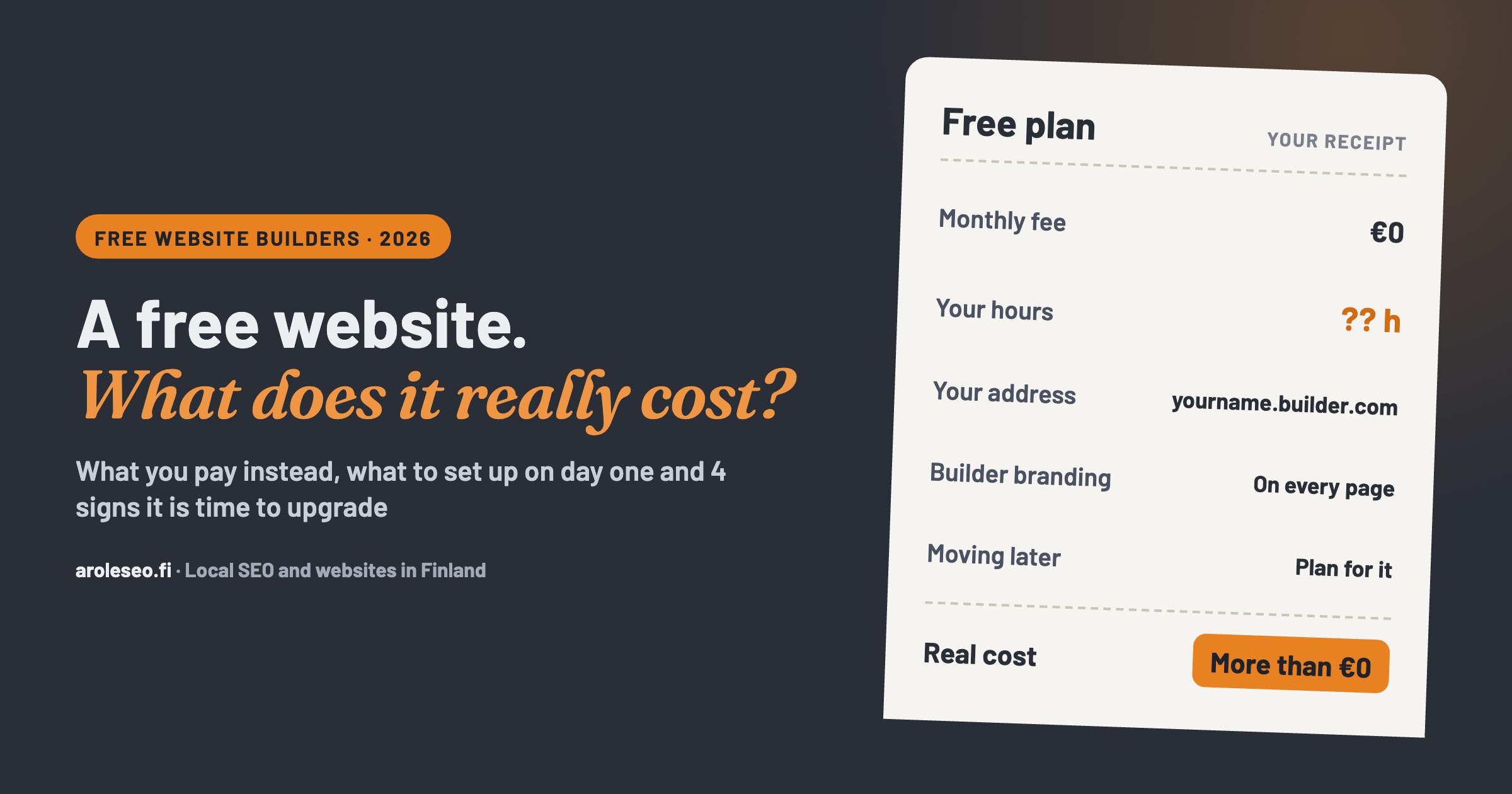
There’s no monthly fee, but every free plan has limits. The builder pays for your hosting, and in return it keeps its own name in your address and on your site.
Here’s what the builders say on their own pages:
- WordPress.com: the free plan shows WordPress.com ads to your visitors. It doesn’t include a custom domain, and you get 1 GB of storage.
- Wix: you can build for free without a credit card. To connect your own domain and remove Wix branding, you need a Premium plan.
- Google Sites: free with a Google account. To use your own address, you first buy a domain from a domain seller and then connect it.
So on a free plan your address usually looks like yourname.wixsite.com or yourname.wordpress.com. Customers notice that. Some don’t mind. Others wonder if you’re a real company.
What you usually get for free: hosting, ready-made templates and an easy editor. What you usually pay for later: your own address, no builder branding, more storage and some features, like more pages or a proper contact form.
What does a free website cost in time?
Mostly your hours. You choose a template, write the texts and find photos. Then you check it on a phone and keep your prices and opening hours up to date.
Here’s a quick way to put a price on that. Write down two numbers:
- How many hours you spent building and fixing the site (be honest).
- Your hourly rate, what you charge a customer for one hour.
Multiply them. For example, if you bill €45 an hour and the site took you 20 hours, it cost you €900 of your time. That’s an example, not an average. Your number might be much lower or much higher.
That doesn’t make a free site a bad deal. If you have quiet evenings and like doing it yourself, the time is well spent. It just helps to know the real price when you compare options.
Can a free website show up on Google?
Yes. Google can find and show a site made on a free plan. For a local business, two things matter more than the builder. One is your Google Business Profile. The other is whether your page says what you do and where.
When people search for a local service, Google often shows a map with nearby businesses first. That list comes from Business Profiles, not websites. Your profile links to your website, so the two should say the same things: the same services, towns and phone number. Our Google Business Profile guide shows how to set it up.
The harder parts on a free plan are your own address and room to grow. One page that lists everything is hard to find for any single search. A page per main service, with your town in it, works better.
If you have a website and still can’t find yourself on Google, read why a business doesn’t show up on Google.
When is a free website enough?
A free site is usually enough when most of these are true:
- You’re just starting, and you want to test your idea before spending money.
- You offer one or two services in one town or area.
- Most work comes from word of mouth or your Google profile, not from your website.
- You have more time than money right now, and you like doing it yourself.
If that’s you, go free and set it up well. The next section shows how.
What should you set up on day one?
These six steps keep a free site useful and leave you free to move later. The first one matters most.
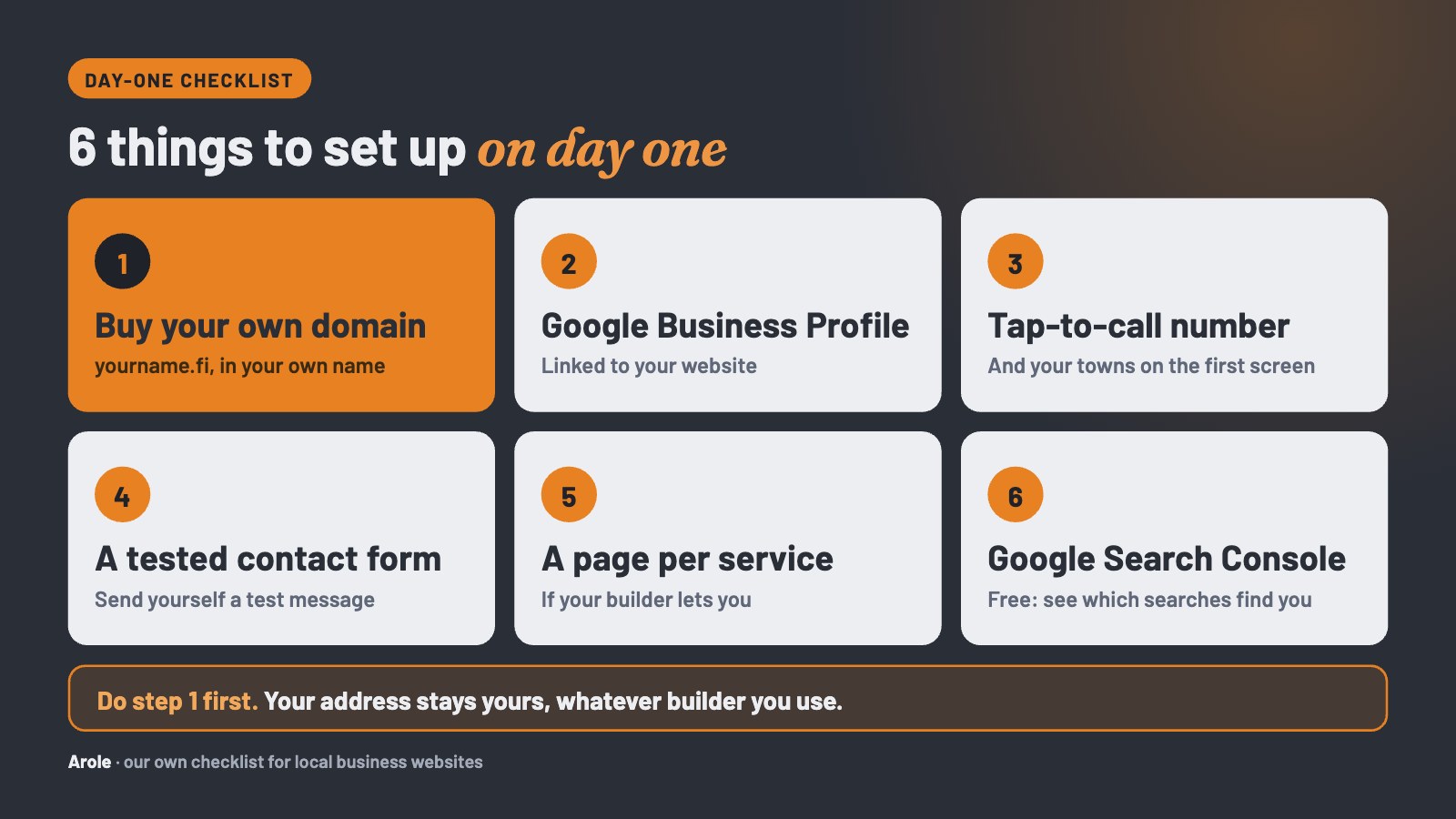
- Buy your own domain (like yourname.fi) in your own name. In Finland you buy a .fi domain through a domain seller, which registers it for you. Traficom’s guide explains the steps. Your address then stays yours, even if you change builders.
- Set up your Google Business Profile and link it to your site.
- Put a tap-to-call number and your towns on the first screen. More than half of web page views in Finland come from phones: 53.6% in October 2026, according to Statcounter.
- Add a short contact form and send yourself a test message. Check that it arrives, and not in spam.
- Give each main service its own page, if your builder lets you.
- Add your site to Google Search Console. It’s free, and it shows which searches bring people to you.
A domain has a small yearly fee. On many builders, connecting it also needs a paid plan. That’s often the first thing worth paying for.
4 signs it’s time to upgrade
Upgrade when the free site starts costing you customers, not when someone tells you it looks cheap. Watch for these four signs.
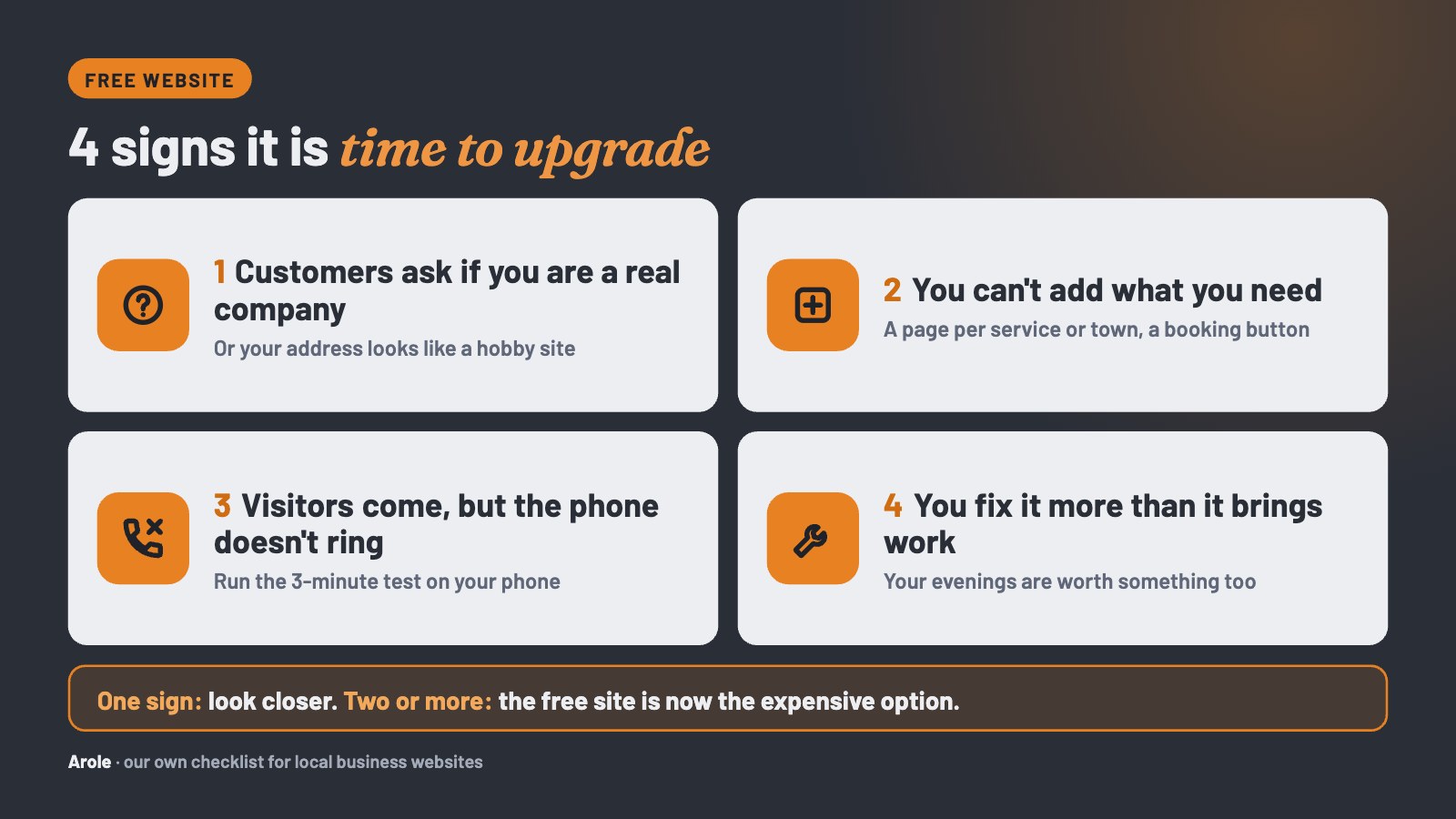
- Customers ask if you’re a real company. Or your address looks like a hobby site next to your competitors.
- You can’t add what you need. For example, a page for each service or town, or a booking button.
- Visitors come, but the phone doesn’t ring. Our post on why visitors don’t call has a 3-minute test you can run on your phone.
- You spend more evenings fixing the site than it brings work.
Here’s what your result usually means:
- No signs: stay free. Just make sure the day-one setup is done.
- One sign: fix that one thing yourself. It’s often an evening’s work.
- Two or more, and you can still edit the site: fix the page that gets the most visits first. You don’t need a new site.
- Two or more, and you can’t edit it, don’t own the address or it breaks on a phone: this is when a new site on your own domain pays off.
Not sure which group you’re in? Our free check tells you, and shows how you appear on Google for the searches your customers use.
Free, DIY or built for you?
There are four sensible routes. The right one depends on your time, your budget and what you already have.
| Option | Good for | What it costs you | Watch out for |
|---|---|---|---|
| Free plan | Testing an idea, one service | €0 a month, plus your hours | The builder’s address and branding |
| Paid builder plan, built yourself | Your own domain, more control | A monthly fee, plus your hours | Keep the domain in your own name |
| Fix the page you have | The site works, but one page loses customers | One page fixed, €690 | Check that you can still edit the site |
| Built for you | When your time is worth more | Whole site (up to 5 pages), €1,490 | Who owns the domain and the accounts |
The last two rows are our prices, + VAT. You can see them all on our prices page.
You don’t have to start over to get a better site. Our one-page fix works on WordPress, Wix and Webnode, so you can keep your builder and fix the page that matters most.
Whoever builds your site, ask three questions first:
- Whose name is the domain in? It should be yours.
- Whose account pays for the hosting? If it’s yours, you can leave whenever you want.
- Can you change texts and prices yourself? If not, every small change costs you.
That’s why, when we build a whole site, the domain and hosting are paid to your own account. You own them from day one. Our small business websites page has the details, and our guide on what a website costs in Finland compares paid options more widely.
Example: a new hairdresser starts on a free plan
This example is fictional, to show how the steps work.
A hairdresser opens a one-chair salon in Lempäälä. Money is tight, so she builds her site on a free plan in two evenings. But on day one she does three things. She buys her own .fi domain, sets up her Google Business Profile and puts a tap-to-call number at the top.
Six months later she offers cuts, colouring and a men’s service, and gets customers from Lempäälä, Pirkkala and Tampere. Two signs show up. She wants a page for each service, and customers keep calling to ask prices that aren’t on the site.
She doesn’t start over. The domain is already hers, so she moves to a paid plan and connects it. Then she fixes the page that gets the most visits, with services, prices and her towns in the first lines.
What can’t any website promise?
No website, free or paid, can promise a place on Google or a number of calls. Your reviews, your Google profile and how quickly you answer the phone matter as much as the site.
A good site makes sure people who already find you can see what you do and reach you in one tap. That’s the job, whatever you paid for it.
Frequently asked questions
Is a free website really free?
There’s no monthly fee, but you pay in other ways. Free plans usually show the builder’s name in your address and on your site, and some show ads. The bigger cost is often your own time spent building and updating it.
Can a free website show up on Google?
Yes. Google can find and show a site made on a free plan. For a local business, the builder matters less than your Google Business Profile and a page that says what you do and where.
Which free website builder is best?
It depends on what you need. We don’t rank them. Look at whether you can connect your own domain later, add a page for each service, and edit the site easily on your own. Try the editor before you commit.
Can I move a free website later?
Your domain moves easily if it’s registered in your own name. The site itself is harder, because builders usually don’t let you take your design to another platform. Your texts and photos you can copy, so plan for some rebuilding.
Do I need a website if I have a Google Business Profile?
You can start with just the profile, and many businesses do. A website gives customers more to go on: your services, prices and proof of your work. It also gives your profile somewhere to link to.

Sources
- WordPress.com: Pricing (checked 12 Nov 2026). https://wordpress.com/pricing/
- Wix: Plans and FAQ (checked 12 Nov 2026). https://www.wix.com/plans
- Google Sites Help: Use a custom URL for your site. https://support.google.com/sites/answer/9068867
- Traficom: Näin hankit fi-verkkotunnuksen. https://www.traficom.fi/fi/fi-verkkotunnukset/nain-hankit-fi-verkkotunnuksen
- StatCounter: Desktop vs mobile vs tablet market share, Finland (October 2026). https://gs.statcounter.com/platform-market-share/desktop-mobile-tablet/finland
- Google Search Console. https://search.google.com/search-console/about