
Quick answer
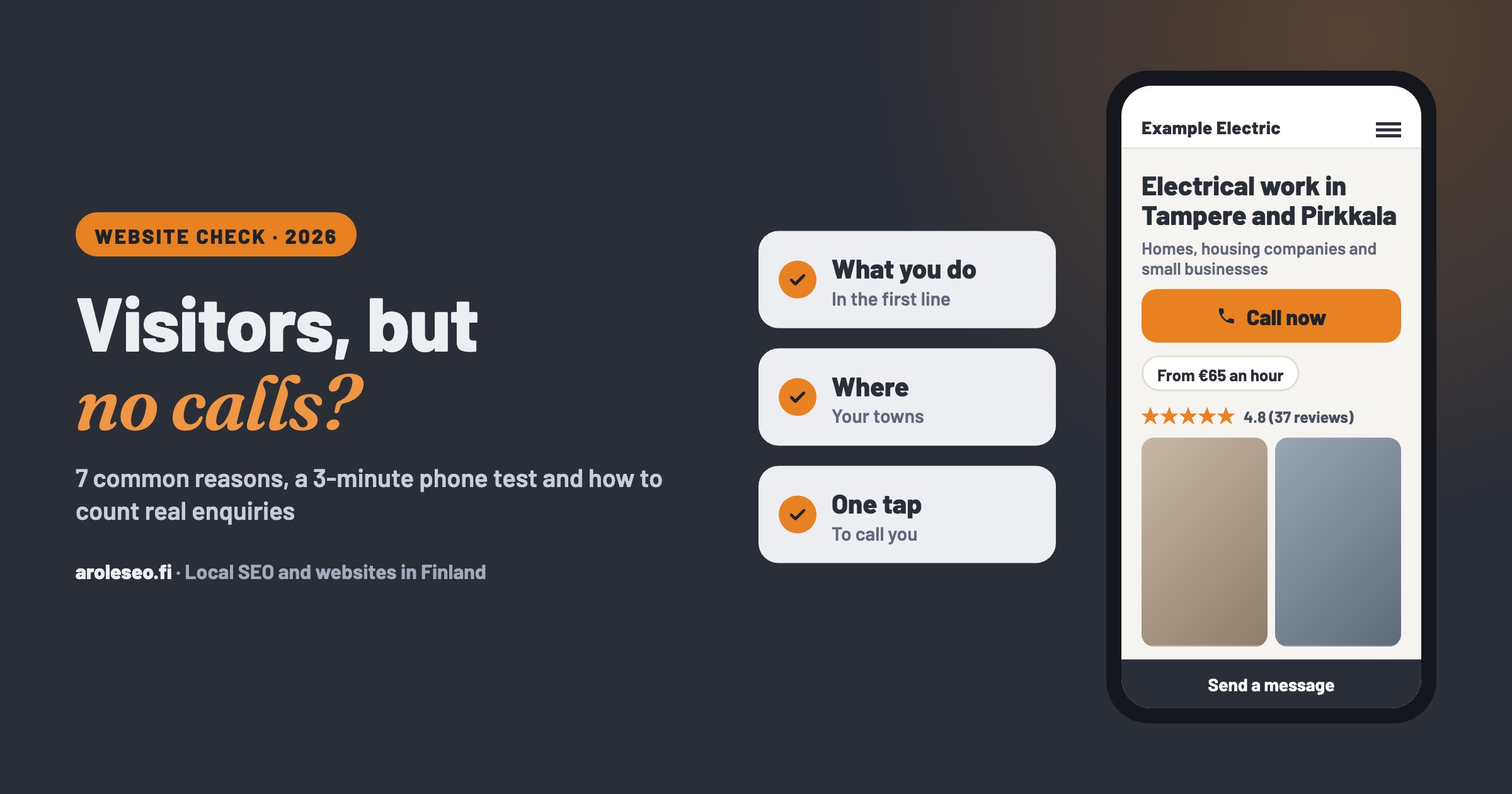
If people visit your website but nobody calls, the page usually fails a simple test on a phone. The first screen doesn’t show what you do, where you work, and how to reach you in one tap. Fix that first. Then check that your visitors are real local customers, and that your contact form actually sends.
Key takeaways
- Test your site on your own phone first. It takes three minutes.
- Most fixes are on one page, not a whole new website.
- Not every visitor is a customer. Some are bots, some are in another town.
- Count calls and form messages, not visits.
“The stats say 300 visitors last month. The phone rang twice.”
We build and fix websites for small businesses in Tampere, and this happens to us too. Our own free-check page had 4 visitors in six weeks and no requests. When we looked closer, our analytics wasn’t even counting form sends.
A good small business website does one job: it turns the people who find you into calls and messages. When that doesn’t happen, it’s rarely the whole site. It’s usually one page failing a simple test, and nobody measuring the right thing.
Which situation are you in?
- People visit, but nobody calls: start with the 3-minute test.
- You’re not sure the visitors are real: see are your visitors even customers?
- You’re thinking about a new website: see fix one page or build a new site?
In this guide
- Why do people visit your website but not call?
- 7 common reasons your website doesn’t bring calls
- Is your contact form actually working?
- Are your website visitors even customers?
- How do you count enquiries, not visits?
- Should you fix one page or build a new website?
- Example: a cleaning company in Hervanta runs the test
- What can’t a better website fix?
- Frequently asked questions
Why do people visit your website but not call?
On a phone, your first screen has to answer three things: what you do, where you work, and how to reach you in one tap. If one of them is missing, the easiest move for the visitor is back to Google and the next name on the list.
Most of us check our own website on a computer. Your customers often don’t. In Finland, about half of web use happens on mobile phones: 48% in September 2026, according to StatCounter.
So take out your phone and run this test now. Step 2 is the quick part: give your first screen three seconds, because that’s about how long it gets. That’s our rule of thumb, not a study.
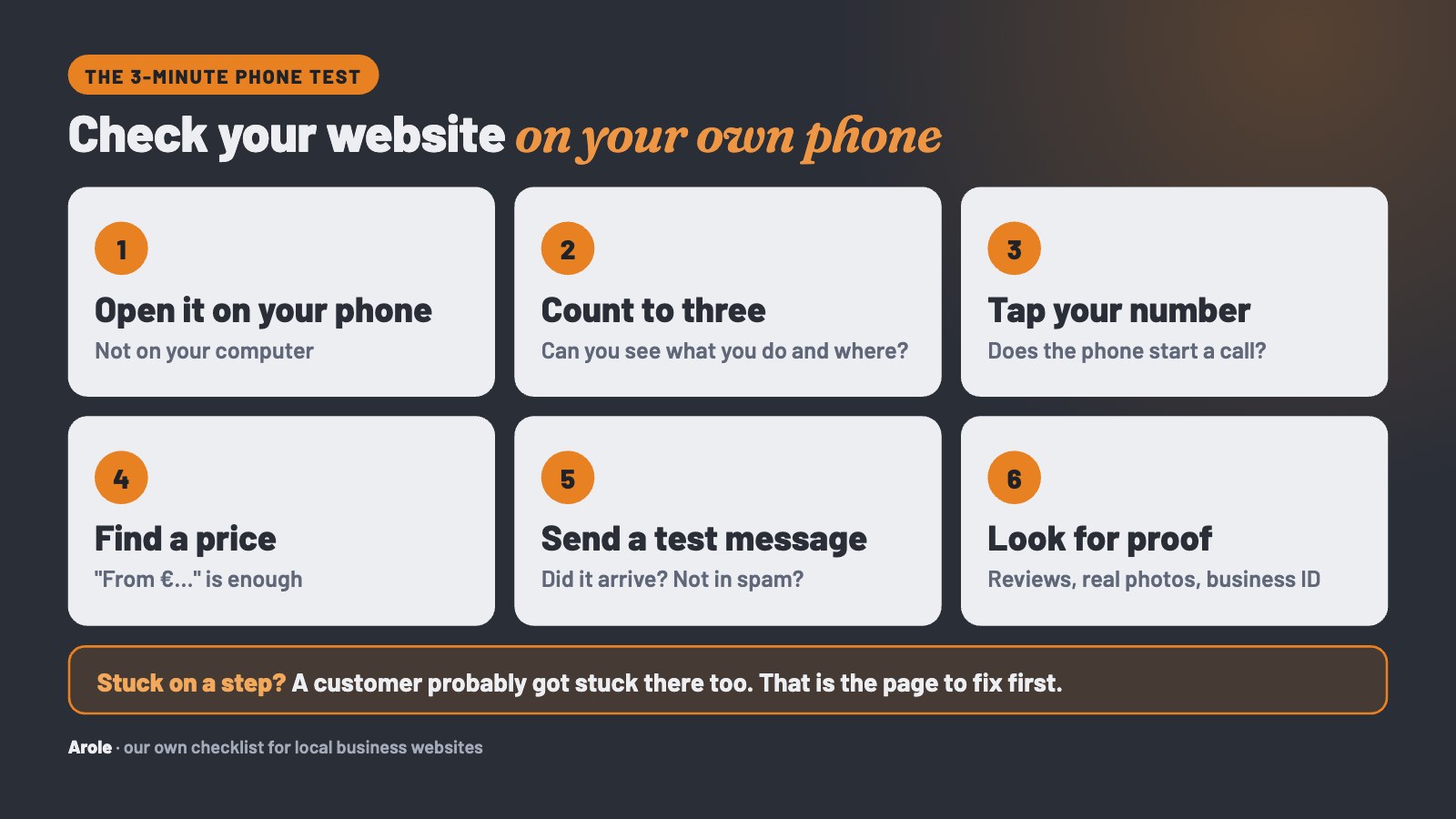
- Open your website on your phone, not your computer.
- Count to three. Can you tell what you do and in which towns?
- Find your phone number without scrolling. Tap it. Does your phone start a call?
- Look for a price, or at least “from €…” or how you price your work.
- Send yourself a message through your form. Did it arrive? Was it in spam?
- Look for proof: reviews, real photos of your work, your name and business ID.
If you got stuck on any step, a customer probably did too. Here’s what your result usually means:
- You passed all six steps: the page probably isn’t the problem. It’s who finds it. See why a business doesn’t show up on Google.
- You failed one or two: small fixes you can make yourself this week. The next section shows how.
- Your main page failed three or more: that page is costing you calls. Fix it first, before anything else.
- You can’t edit your site, or it barely works on a phone: the site itself is the problem.
Not sure how your page scores? Our free check runs this same test, checks how you show up on Google and Google Maps for the searches your customers use, and tells you which of these four you’re in.
7 common reasons your website doesn’t bring calls
Here are seven common reasons, and the fix for each. Most of them you can fix yourself.
| Reason | What the visitor sees | The fix |
|---|---|---|
| 1. The phone number isn’t tappable | A number in the footer, or inside an image | A tap-to-call number at the top of every page |
| 2. The first screen doesn’t say what or where | “Quality service since 1998” | Your service and towns in the first line |
| 3. No price hint | “Ask for a quote” and nothing else | “From €…”, a typical job price, or how you price |
| 4. One page for everything | All services in one long list | One page per main service, with the town in it |
| 5. The form fails, or nobody answers | An error, or silence for days | Test the form monthly, reply within a working day |
| 6. No proof | Stock photos, no reviews, no name | Real photos, Google reviews, your name and business ID |
| 7. Slow on a phone | A white screen for several seconds | Lighter images, a faster theme or host |
1. The phone number isn’t tappable
Many people would rather call than fill in a form. In a small Nielsen Norman Group study from 2019, most people said they prefer talking to a real person on the phone. If your number sits in the footer, or inside an image, a phone can’t dial it.
Put the number at the top of every page as a tap-to-call link. On mobile, a call button that stays visible as people scroll works even better.
2. The first screen doesn’t say what you do or where
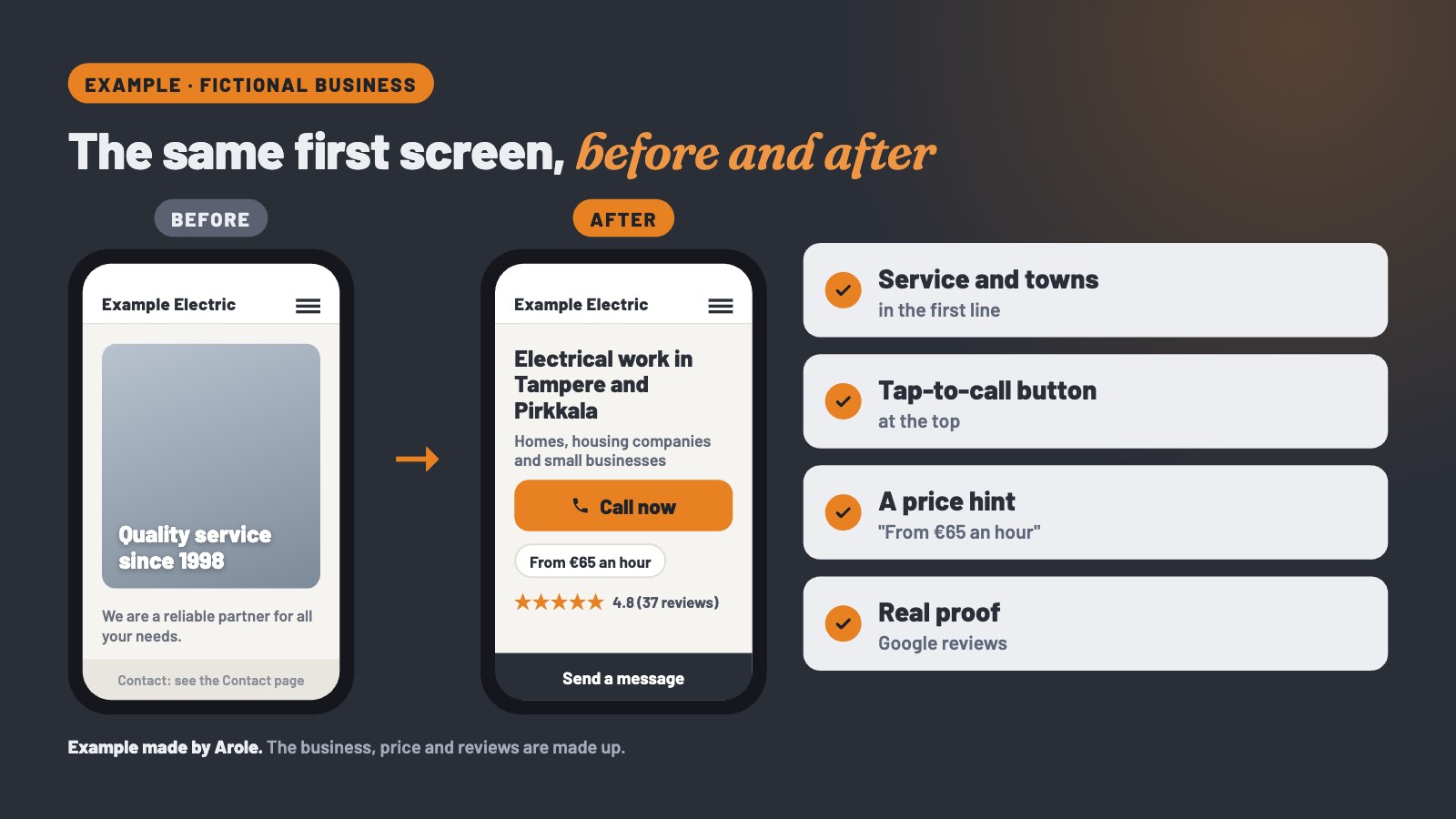
“Quality service since 1998” tells a visitor nothing they can act on. “Electrical work in Tampere and Pirkkala” tells them in two seconds whether you’re the right call.
Write your main service and your towns in the first line. Add one line on who you work for, like homes, housing companies or businesses.
3. There’s no price hint
A visitor who sees only “ask for a quote” doesn’t know if you’re €200 or €2,000. Some will simply move on to a site that gives them a rough idea.
You don’t need a full price list. “From €…”, the price of a typical job, or how you price (call-out fee plus hourly rate) is enough. Our own price list is one example of how that can look.
4. One page tries to sell everything
If every service sits in one long list, a person searching for “bathroom electrics in Lempäälä” finds nothing that matches. Neither does Google.
Give each main service its own page, with the town in the title. Start with the service that brings in the most money.
5. The form doesn’t work, or nobody answers it
Forms break quietly. A plugin update, a full inbox or a spam filter, and nobody notices for months.
Keep the form short: name, phone number and message. Then reply fast. The same research found that “Most users expect an email or response to a form submission within 24 hours.”
6. There’s no proof
Stock photos and no reviews make a visitor wonder if you’re real. A business ID on the page also shows you’re a registered Finnish company.
Show real photos of your work and team, your Google reviews, your name, address and business ID. If you’re short on reviews, here’s how to get more Google reviews without breaking Google’s rules.
7. The site is slow on a phone
If the page stays white for several seconds, some visitors won’t wait. Google’s guidance is that the main content should appear within 2.5 seconds.
Heavy images and old themes are the usual cause. Shrinking images is a job you can often do yourself. A slow theme or host usually needs help.
Is your contact form actually working?
Send a test message through your own form today. It takes two minutes, and it’s easy to forget.
- Send a test from your phone and from a computer.
- Check that the message arrives, and that it isn’t in spam.
- Check who receives it. Is it still the right person and email address?
- Put a monthly reminder in your calendar to test it again.
Are your website visitors even customers?
Not all of them. Automated traffic made up 51% of all web traffic in 2024, according to Imperva. Google Analytics filters out known bots automatically, but server statistics and some web company reports don’t.
Even real visitors aren’t all customers. Some are in another town, some are looking for a job, and some are you.
So “300 visitors” can mean far fewer real local customers. Three free ways to check:
- Which searches bring people in: Google Search Console shows the words people searched before they clicked.
- Where they’re from: your analytics shows the town or country.
- What your Google profile gets: it shows calls and website clicks separately.
If most of your visitors come from searches you don’t serve, or from far away, the problem isn’t the page. It’s who finds it. Our post on why a business doesn’t show up on Google covers that side.
How do you count enquiries, not visits?
Count calls and form messages, and ask every new customer where they found you. Visits don’t pay the bills.
- Calls from Google: your Google Business Profile counts taps on its call button. You’ll find it in the profile’s performance view. Our Google Business Profile guide shows where.
- Form messages: mark your form’s thank-you page or message as a key event in Google Analytics. We weren’t doing this on our own site either, until we wrote this post.
- The simplest method: ask every new customer “Where did you find us?” and keep a tally for a month.
After a month, you’ll know how many enquiries you get and where they come from. That’s a much better number to improve than visits.
Should you fix one page or build a new website?
If your site works on a phone and you can edit it, fix the page that gets the most visits first. Build a new site only when you can’t edit the old one, it doesn’t work on a phone, or you’d end up changing every page anyway.
| Your situation | A sensible step | If you want us to do it |
|---|---|---|
| You failed 1–2 steps of the test | Fix them yourself this week | Nothing to buy |
| One important page fails most steps | Rebuild that one page | One page fixed, €690 |
| Old site, can’t edit it, broken on phones | Build a new site | Whole site (up to 5 pages), €1,490 |
| The site is fine, but nobody finds you | Work on visibility, not the site | See what SEO costs |
Whoever does the work, a one-page fix should include these six things. It’s also exactly what our €690 one-page fix includes:
- Clear structure and plain text: what you do and where, in the first line.
- One clear contact button, with your business details visible.
- A tested contact form, with tracking, so you can count the messages.
- The page’s SEO basics: title, description, headings, structured data and indexing.
- Screenshots before and after.
- One round of changes.
It works on WordPress, Wix and Webnode. If your site can’t be edited, we tell you in the free check, before you pay anything. All prices + VAT. Our small business websites page has the details. For a fuller picture of costs, see what a small business website costs in Finland.
Example: a cleaning company in Hervanta runs the test
This example is fictional, to show how the test works.
A two-person cleaning company in Hervanta, Tampere, sees about 200 website visits a month and gets two form messages. The owner runs the 3-minute test on her phone.
- The phone number is only in the footer, as plain text.
- The first screen says “Spotless results” over a stock photo.
- There’s no price anywhere.
- The form sends to an email address the company stopped using last year.
In one afternoon she changes four things. She moves the number to the top as a tap-to-call link. She rewrites the first line as “Home and office cleaning in Tampere and Kangasala”. She adds “Home cleaning from €39 an hour”. And she points the form to her current email and tests it.
Next month she counts calls, form messages and “Where did you find us?” answers. That tells her whether the page now works, or whether the next job is getting found.
What can’t a better website fix?
A better website can’t create demand, and it can’t put you on the map. If nobody in your area searches for your service, or you don’t show up on Google Maps, visibility comes first.
It can’t promise a number of calls either. What it can do is make sure that the people who already find you can see what you do and reach you in one tap.
That’s why we look at both sides before suggesting anything: the page, and whether the right people find it. Fixing the wrong one first costs money and fixes nothing.
Frequently asked questions
What makes a good small business website?
A good small business website tells a visitor in the first screen what you do, where you work and how to reach you in one tap. It shows a price hint, real proof like reviews and photos, and it loads fast on a phone. Most of all, it brings calls and messages, not just visits.
Why doesn't my website bring enquiries?
Usually because the first screen doesn’t show what you do, where, and how to call you, or because the form doesn’t work. Check it on your own phone with the 3-minute test above. If the page passes and you still get no calls, the problem is often that the right people don’t find you.
What is conversion optimization?
It means getting more of the people who visit your website to call or send a message. For a local business, that mostly means a clear first screen, a tap-to-call number, a price hint, a working form and real proof.
How many visitors should my website get?
There’s no right number. It depends on your trade, your town and how many people search for your service. Count enquiries instead: calls and form messages tell you far more than visits.
Do I need a new website?
Not always. If your site works on a phone and you can edit it, fixing one or two pages is often enough. A new site makes sense when you can’t edit the old one, it doesn’t work on a phone, or every page needs changing.

Sources
- StatCounter: Desktop vs mobile vs tablet market share, Finland (September 2026). https://gs.statcounter.com/platform-market-share/desktop-mobile-tablet/finland
- web.dev: Largest Contentful Paint (updated 4 Sep 2025). https://web.dev/articles/lcp
- Nielsen Norman Group: Contact Us pages (2019). https://www.nngroup.com/articles/contact-us-pages/
- Imperva: 2025 Bad Bot Report. https://www.imperva.com/blog/2025-imperva-bad-bot-report-how-ai-is-supercharging-the-bot-threat/
- Google Analytics Help: Known bot-traffic exclusion. https://support.google.com/analytics/answer/9888366
- Google Analytics Help: How to measure key events. https://support.google.com/analytics/answer/12946393
- Google Business Profile Help: Understand your Business Profile performance. https://support.google.com/business/answer/9918094?hl=en
- Arole’s own Google Analytics for aroleseo.fi, 1 Oct–11 Nov 2026.